
Enterprise Hiring Playbook
How your organization can post roles, manage a structured pipeline, collaborate with recruiters, and close positions with data-driven confidence.
Organization accounts vs. recruiter accounts
EmployForm separates organizational hiring accounts from individual recruiter accounts. Your organization account owns the job requisitions and the pipeline. Recruiters — whether internal or agency — are attached to specific roles and source candidates on your behalf.
Organization dashboard overview
Your central hub for active roles, pipeline oversight, and placement tracking.
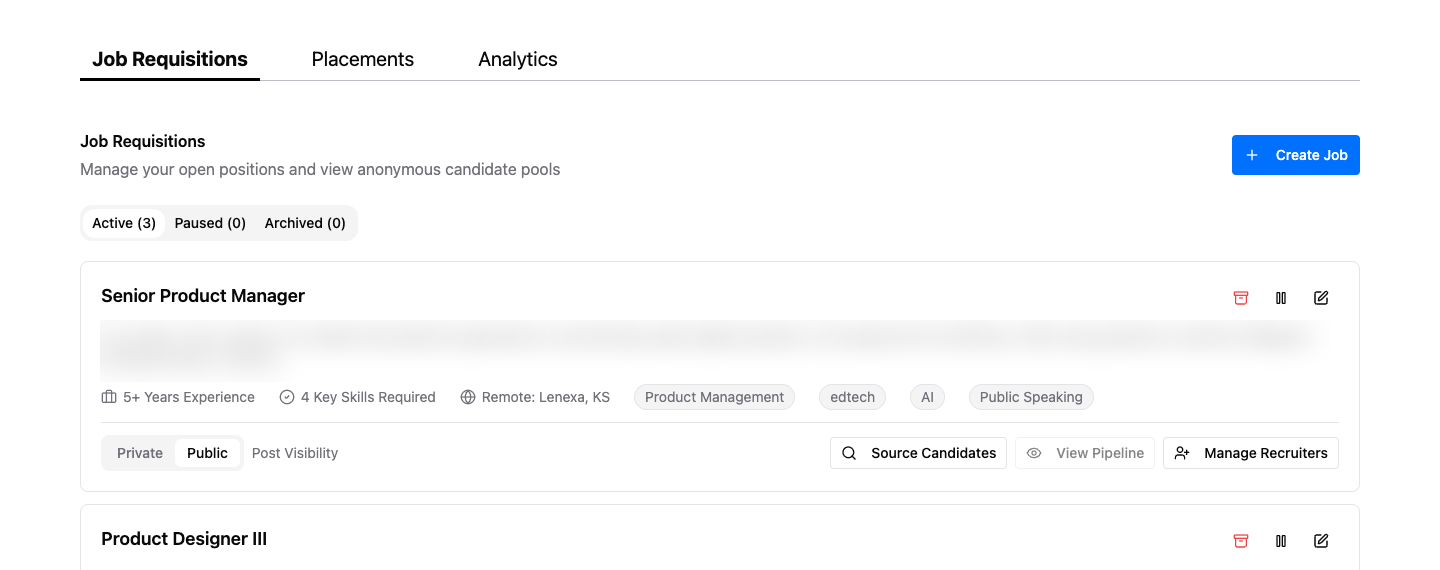
All open, paused, and archived positions — the core of your hiring operation
Successfully filled roles and completed pipeline outcomes
Hiring velocity, pipeline conversion rates, and recruiter performance
Cross-role view of all candidates and their current stages
Manage organization members and their access levels
Create a job requisition
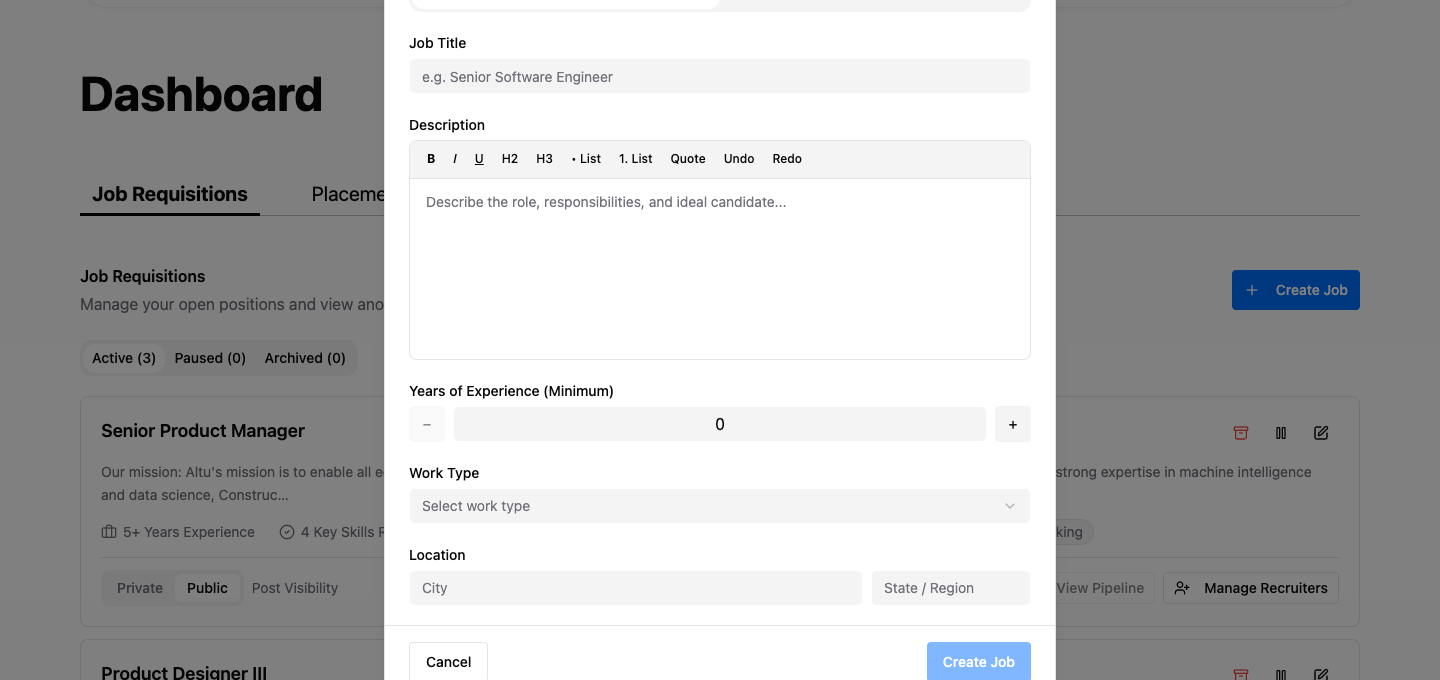
From the Dashboard, click Create Job and complete:
- Role basics — job title, department, and description. Write for candidates — be specific about what success looks like in the first 90 days
- Requirements — experience level, required skills with proficiency levels, and location preference
- Visibility — Public lists the role on the EmployForm job board; Private makes it sourcing-only
- Pipeline configuration — the default seven-stage pipeline is pre-configured. Skip stages as needed per role
Private postings let you build a candidate pool before any public announcement — useful for sensitive backfills, replacement searches, or building a bench for planned headcount.
Assign recruiters
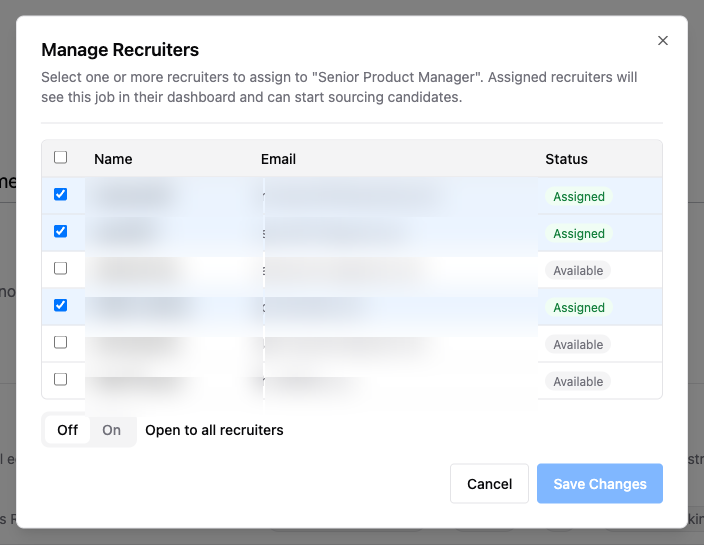
Each job has a Manage Recruiters action. Add internal team members or external agency recruiters by name or email. Assigned recruiters can source candidates, advance pipeline stages, and build shortlists for your role.
Your dashboard shows the unlock request approval rate for each recruiter working your roles. A low approval rate signals mass or low-quality outreach — use this data to coach or reassign.
Source candidates
Click Source Candidates on any job to open the candidate search filtered to that role’s requirements. You or your recruiters can browse anonymous profiles, filter by skills and location, and add candidates to the pipeline directly from search results.
Halfway through — ready to get started?
Manage the pipeline
The Pipeline view is your real-time hiring cockpit:
- Review by stage — every candidate across all open roles, grouped by pipeline stage
- Advance or hold — move candidates forward with a single click, or mark them as held pending additional input
- Leave stage notes — interview outcomes, assessment scores, reference check summaries visible to all with recruiter or admin access
- Track offer and onboarding — feeds your Placements tab and analytics
Review analytics
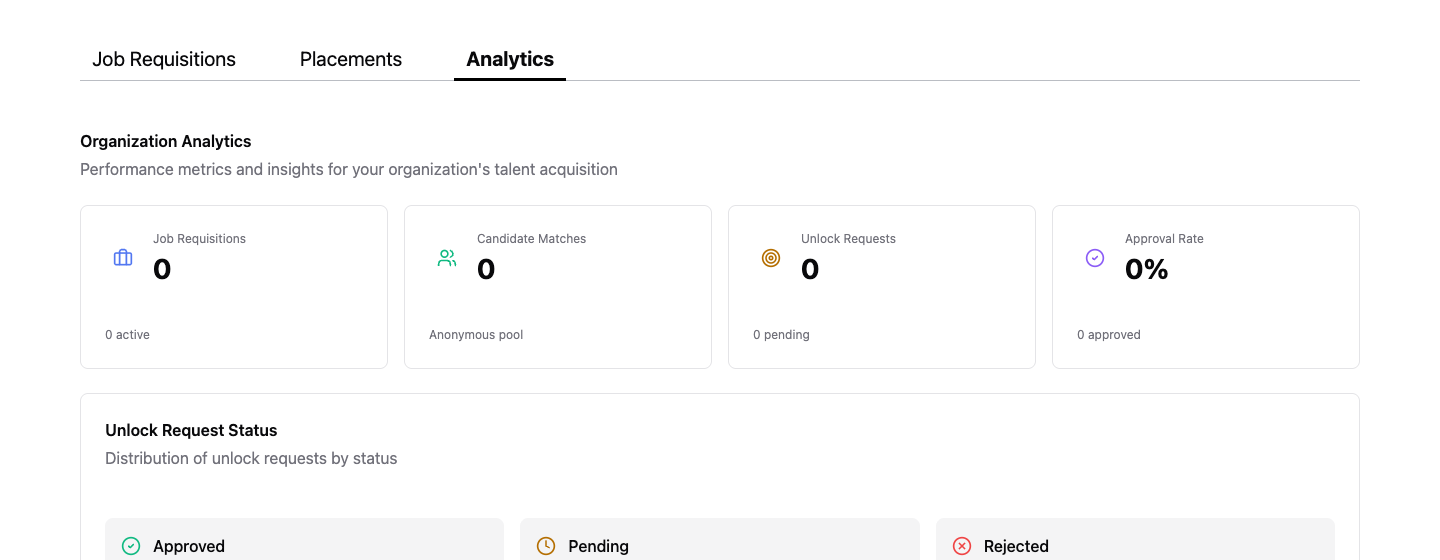
The Analytics tab gives you pipeline performance data across all roles:
- Job Requisitions — count of currently active roles
- Candidate Matches — anonymous candidate pool matched to your roles
- Unlock Requests — total outreach sent across all roles
- Approval Rate — percentage of unlock requests candidates accepted — a signal of employer brand strength
Candidates who accept unlock requests are actively engaged. Delay beyond 24–48 hours significantly increases the chance they disengage or accept another role.
Before moving to interview stage, share a shortlist with the hiring manager. Getting alignment early prevents late-stage rejections that cost pipeline time.
Ready to build a better hiring operation?
Create your organization account and start running structured, data-driven hiring on EmployForm.